


Blog

Explore the Graemouse blog for expert insights on managed IT, IT support, and technology solutions to help your business thrive. Contact us to learn more.

Tip of the Week

Tip of the Week: Use Auto Filter to Sort and Filter Excel Data

Microsoft Excel is a powerful tool for organizing and analyzing data, and its ceiling for mastery is incredibly high. Thankfully, you don’t need to know every little thing about Excel to get value out of it, and thanks to built-in features like Auto Filter, you can still get plenty of value out of it even if you’re not a power user. Let’s go over how you can use Auto Filter to more effectively navigate spreadsheets filled with data.

Read More
Tip of the Week

Tip of the Week: How to Download Images from a Google Doc

Google Docs has been a worthy competitor to the ubiquitous Microsoft Word since the search engine giant launched the service in 2006. Since then, it’s been used by personal accounts and businesses as a fantastic alternative to the Microsoft Office suite. Google was able to beat Microsoft to the punch with a nearly fully-featured, browser-based document editor that allowed incredibly easy collaboration and sharing capabilities. However, there’s one little hang-up that people often run into when using Google Docs, and we’re going to show you how to overcome it.

Read More
Tip of the Week

Put Your YouTube on Repeat

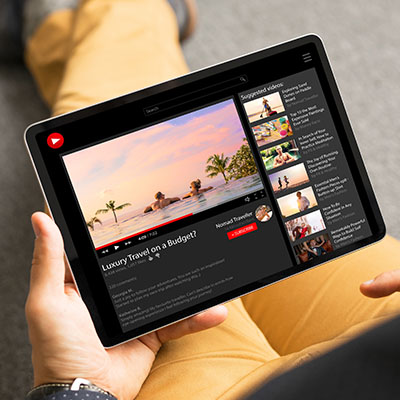
Have you ever wanted to put a YouTube video on repeat for an inordinately long amount of time, perhaps looping on a kiosk or on a conference room tv in the background? There are several ways to do this, including a feature built into YouTube itself and third-party websites. Let’s take a look at both options.

Read More
Tip of the Week

Soon Enough, Android Will Let You Archive Apps Instead of Deleting Them

Managing storage space on your Android device can be a bit of a challenge, but you can make it easier through the use of automatic app archiving. If you download apps frequently, then you might encounter situations where you have too little storage on your device, but this situation can be fixed with a quick auto-archive feature that will be available eventually for Android users.

Read More
Tip of the Week

Tip of the Week: How to Create Multiple Google Calendars

Your Google Calendar can be a gateway to productivity when it’s set up appropriately, and one way you can do so is to implement additional calendars to help you manage your day-to-day obligations. Let’s go over why you might consider using multiple Google calendars and how you can set them all up.

Read More
Tip of the Week

Using Virtual Desktops in Windows 11

More often than not, productivity is about getting right to work, with no distractions. One of the ways you can be more productive in the workplace is through the use of multiple desktops, something which can help you navigate multiple different tasks as you go about your day. Virtual desktops are something that even the average employee can use to improve productivity, and the features are available in Windows 11.

Read More
Tip of the Week

Tip of the Week: Merge Your Contacts in Android

How organized are your contacts stored in your Android smartphone? Chances are that, as a business professional, you might have several duplicate contacts in your phone, some from just asking for peoples’ contact information, some imported from your email application, and others from who knows where. Let’s discuss how you can merge duplicate contacts into one entry in your contact application, making for a much more organized list.

Read More
Tip of the Week

Tip of the Week: Improve LinkedIn Privacy

Have you ever received an email notification that someone has checked out your LinkedIn profile? While you might be flattered in the moment, you might then suddenly notice that LinkedIn is doing the same thing to you, telling others when you have looked at their profile. While this isn’t always a bad thing, and can even be good for networking, you might want to adjust this setting so that your privacy can be maintained a bit better.

Read More
Tip of the Week

Tip of the Week: Translating a Gmail Message

There are times when you might receive an email written in another language. Even if it’s unlikely, it helps to be able to translate a message for the rare time when you might receive one, particularly if your organization occasionally conducts business beyond your country’s borders. Let’s go over how you can use Gmail’s built-in translation functionality.

Read More
Tip of the Week

Tip of the Week: Adjust Your Screen Size in Android

Sometimes you just want to look at your phone without squinting at the screen to read small text. In cases like this, you can change the display size of your Android’s screen. To get started, simply follow the directions in this blog article. Before you know it, you’ll be browsing your phone without having to strain your eyes.

Read More
Archives